Create Real Estate 3D Visualizations from Floor Plans

What is Drafto for property visualisation? Drafto helps agents, developers, and marketers turn floor plans into photorealistic property interiors, exteriors, listing visuals, and WebGL-ready 3D models in about 30 seconds—without manual scene modeling.

Upload a clear floor plan and create 3D visualization for real estate listings, pre-construction presentations, brochures, and property marketing campaigns.

Live Drafto Example

From 2D Floor Plan to Listing-Ready 3D

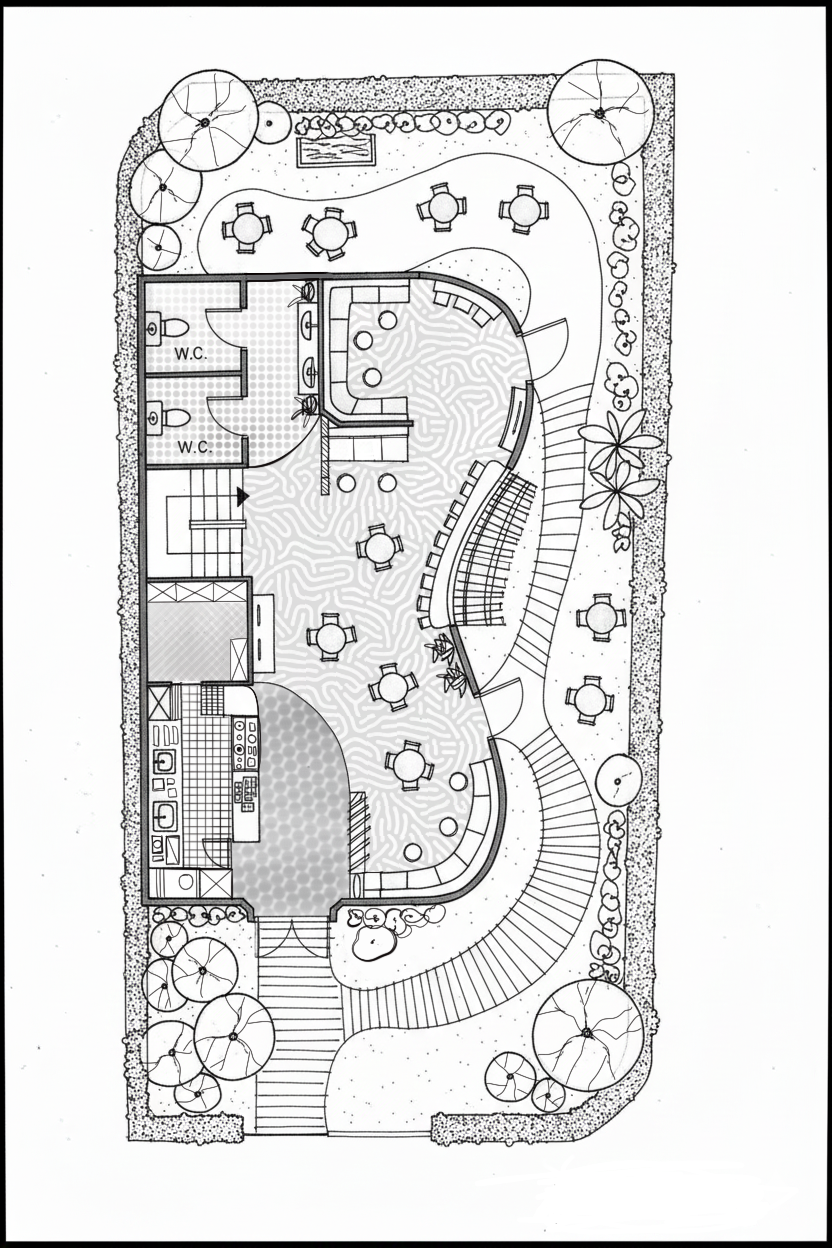
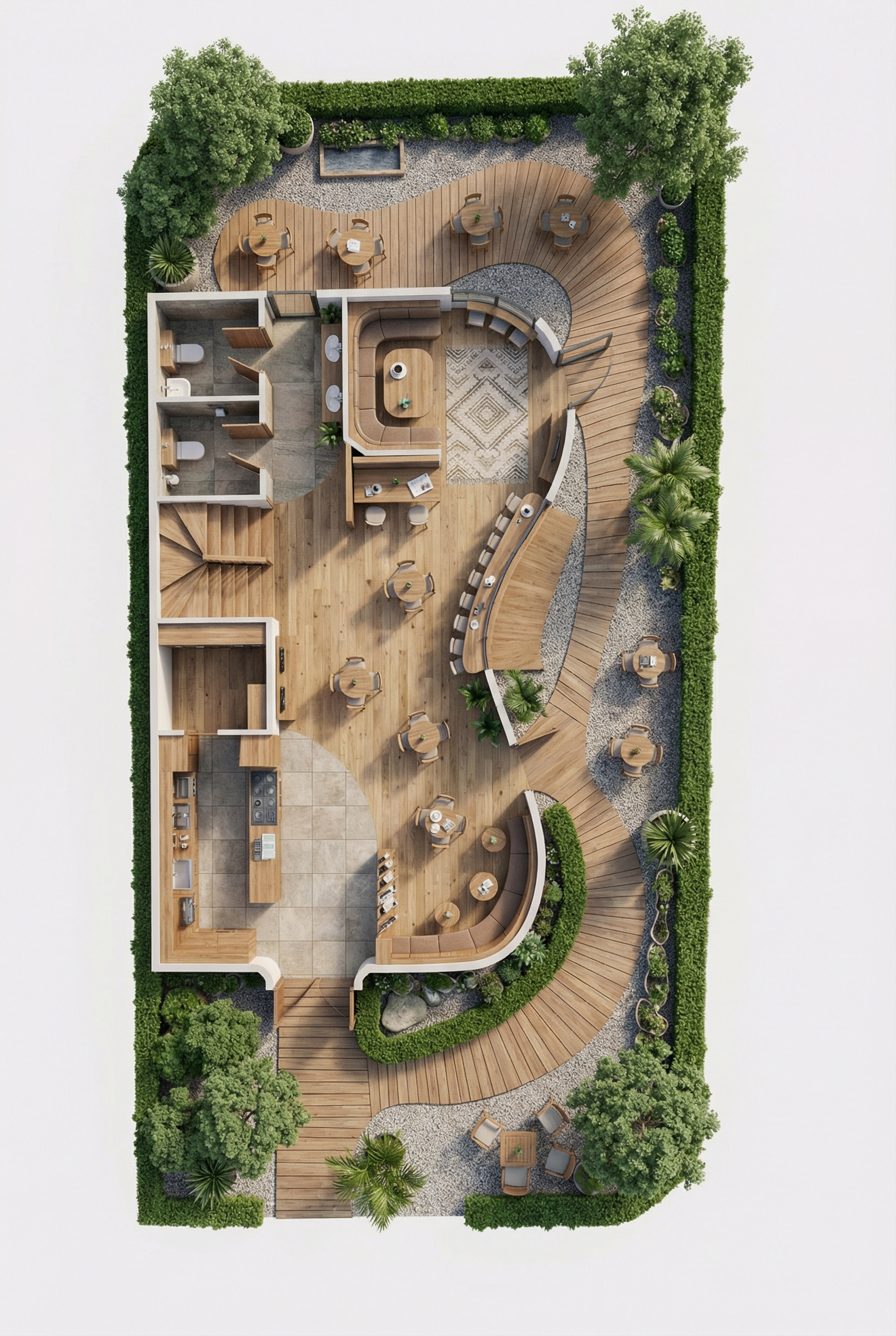
Same transformation shown on our Examples page — drag the slider to compare.

Before: 2D floor plan
After: 3D floor plan render by Drafto
Floor Plan2D Input3D Output
Example from Drafto showcase projectView all examples

What Is Property Visualisation for Real Estate?

Real estate visualization is the creation of photorealistic 3D visual representations of properties, including interior spaces, building exteriors, and spatial layouts. These visualizations transform technical floor plans and architectural drawings into accessible visual content that helps buyers, agents, and developers understand properties before construction or photography is available.

The visualization process converts 2D property documentation—floor plans, sketches, architectural drawings—into 3D models with realistic furniture, lighting, materials, and environmental context. This enables stakeholders to see how properties will appear when completed, making visualization essential for pre-construction marketing, virtual staging, and property presentations.

Real estate visualization serves multiple purposes: marketing properties that aren't yet built or photographed, helping buyers visualize spaces before visiting, supporting pre-sales campaigns for developers, and creating professional presentation materials for agents and architects. The technology has become fundamental to modern real estate marketing and sales workflows.

For specific workflows, see residential 3D rendering for vacant and home listings, and pre-construction sales visuals from floor plans for off-plan launches. Investment and leasing teams may also use investor pitch deck visuals and commercial office and property marketing. For fix-and-flip resale, the same Drafto floor-plan-to-render product applies.

Traditional visualization required specialized 3D artists, expensive software, and weeks of work per visualization. AI-powered visualization automates this process, generating professional results in approximately 30 seconds from simple inputs. This democratization makes high-quality visualization accessible to all real estate professionals, regardless of technical expertise or budget constraints.
Property Visualisation for Listings, Pre-Sales, and Marketing

A property visualisation should answer a specific commercial question: what will the space look like, how is the layout organized, or which assets are needed to present the property? Drafto keeps the workflow connected to the uploaded floor plan so the same source can support several stages of a real estate campaign.

Listing preparation

Agents can create furnished interior or exterior concepts when a property is vacant, under construction, or not ready for photography. The render helps explain the intended presentation while the original floor plan remains the reference for dimensions.

3D rendering for real estate agents

Pre-construction communication

Developers can use unit plans, amenity drawings, and approved architectural inputs to prepare visuals before completed-building photography exists. These assets can support project pages, stakeholder reviews, and pre-sales presentations.

Property development visualization

Multi-channel property marketing

Approved renders can move into Drafto workflows for property brochures, banners, listing images, and presentation assets. WebGL-ready models can add an interactive view when a static render does not fully explain the space.

Real estate marketing materials

Why AI is Changing Property Marketing

AI changes property marketing by reducing the manual setup required for an initial visualization. Instead of building every wall, material, furniture item, and light from scratch, Drafto interprets a clear floor plan and prepares a visual starting point automatically.

Real estate teams can generate an initial property render in about 30 seconds from a floor plan, PDF, image, or sketch. This makes rapid visualization useful for agents, developers, and property marketers who need presentation assets but do not need to operate traditional 3D software for each campaign.

Speed also changes when teams can begin preparing content. A listing or project page can be planned from approved drawings while staging, fit-out, or construction is still underway. The output remains a visualization and should be described as such whenever it does not depict the property's current physical condition.

Drafto output should be reviewed against the source floor plan before publication. If a different furnishing density, lighting setup, material direction, or composition is needed, the team can adjust the presentation settings and generate another version for review.

Visualization Types

Real estate visualization encompasses three main types, each serving different marketing and presentation needs.

Interior Visualization

Interior visualization creates photorealistic 3D renders of property interiors, showing furnished rooms with accurate lighting and textures. This helps buyers visualize living spaces before visiting properties, especially valuable for pre-construction listings and virtual staging.

Learn more about AI interior rendering.

Exterior Visualization

Exterior visualization generates realistic building facades with environmental context, landscaping, and lighting. This is essential for property developers marketing pre-construction projects and architects presenting building designs. These visualizations show how buildings will appear in their actual locations.

Learn more about AI exterior rendering.

Floor Plan Based Visualization

Floor plan based visualization converts 2D architectural drawings into 3D visualizations. This process transforms technical floor plans into accessible visual representations that help buyers understand spatial layouts and room relationships. The visualization maintains accurate proportions while adding realistic furniture, lighting, and textures.

How Drafto Fits into Real Estate Workflows

Drafto integrates into real estate workflows at multiple stages, supporting agents, developers, and platforms throughout the property marketing and sales process.

1

Property Documentation

Agents or developers provide floor plans, sketches, or reference materials for the property. This documentation serves as the foundation for visualization creation.

2

Visualization Generation

AI processes the input materials and generates photorealistic visualizations. Interior renders, exterior views, and floor plan conversions are created in approximately 30 seconds per visualization.

3

Review and Refinement

Generated visualizations are reviewed against the source plan. Teams can adjust presentation settings and regenerate when a different style, furnishing direction, or composition is needed.

4

Marketing Integration

Final visualizations are integrated into listing platforms, marketing materials, websites, and presentation documents. The visuals support sales efforts across multiple channels.

Workflow Integration Points

Pre-Listing Preparation: Agents use Drafto to create marketing visuals before listing properties. Floor plans are converted into interior and exterior visualizations that showcase properties effectively.

Active Listing Promotion: Visualizations can be integrated into listing platforms, websites, brochures, and presentation materials alongside plans and available photography.

Buyer Consultation: Agents use visualizations during buyer consultations to explain room relationships, furnishing potential, and the intended character of a property.

Pre-Sales Campaigns: Developers use Drafto to prepare property visuals from approved plans before completed-building photography is available.

Benefits for Listings, Sales, and Marketing

Real estate visualization gives property teams reusable ways to explain a project across listings, presentations, and marketing activities.

Earlier Listing Preparation

Real estate visualization lets agents prepare property visuals while a space is vacant, under construction, or not yet ready for photography. Teams can assemble listing and presentation assets from an available floor plan.

Clearer Buyer Understanding

Visualizations help buyers interpret room relationships, furniture scale, and the intended character of a property before a visit. The floor plan remains available for dimensions while the render explains the space visually.

Pre-Sales Marketing

Property developers use visualizations to explain units before construction photography exists. The output can support project pages, investor presentations, sales-centre displays, and pre-construction campaigns.

Consistent Property Presentation

Interior, exterior, and floor-plan visuals can follow one presentation direction across listing pages, brochures, banners, and sales decks, giving property teams a more coherent set of campaign assets.

Additional Marketing Benefits

Virtual Staging: Visualizations can show a furnished direction for a vacant space without changing the source floor plan. The result should be labelled as a visualization when required.

Multi-Channel Marketing: Visualizations work across all marketing channels: listing platforms, websites, social media, print materials, and presentation documents. Consistent visuals strengthen brand presentation.

Before Photography Is Available: For pre-construction or unfinished properties, visualizations provide presentation assets while completed-property photography is not yet possible.

Controlled Iteration: Teams can adjust presentation settings and regenerate a visual when they need another furnishing, lighting, material, or composition direction.

From AI Render to Ready-to-Use Marketing Materials

Drafto doesn't stop at generating AI renders. Every render can be instantly transformed into ready-to-use real estate marketing materials.

This allows real estate teams to move directly from visualization to promotion without additional tools or manual design work.

  • Property brochures (PDF)
  • Real estate flyers
  • Website banners
  • Listing visuals for property portals

This workflow is designed for speed, consistency, and scale across real estate marketing operations. Property visualizations become complete marketing packages automatically. Learn more about real estate marketing materials.

Frequently Asked Questions

Transform Your Real Estate Marketing

Generate professional property visualizations in 30 seconds. Explore AI interior rendering and AI exterior rendering capabilities, or see how Drafto works with real examples.